Unlimited users
You pay per screen, not per person: the whole company can publish and approve at no extra cost.
Software for workplace screens
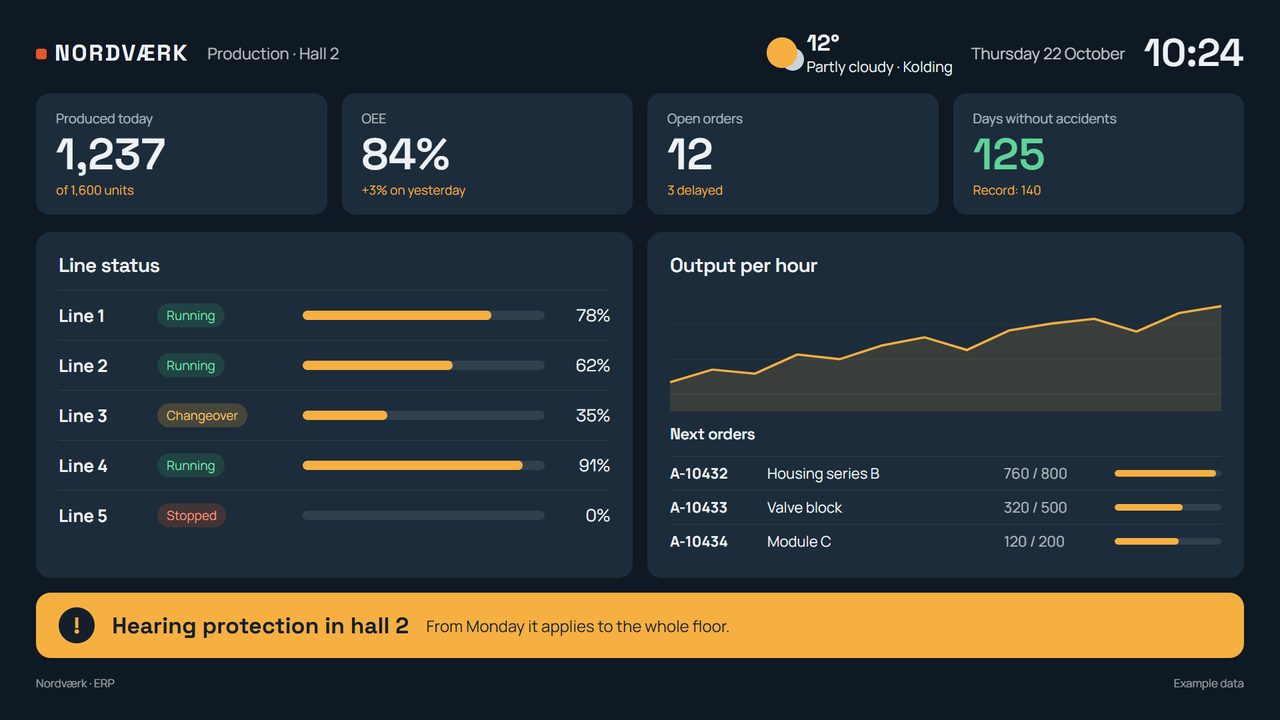
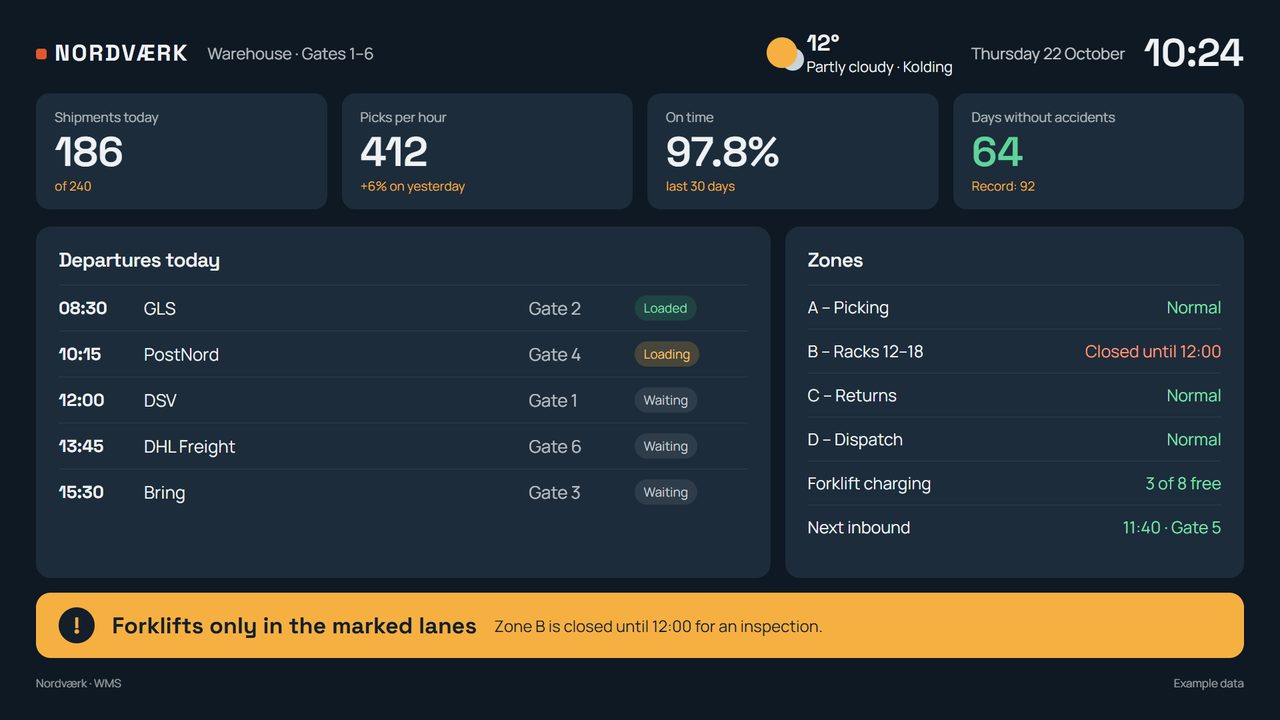
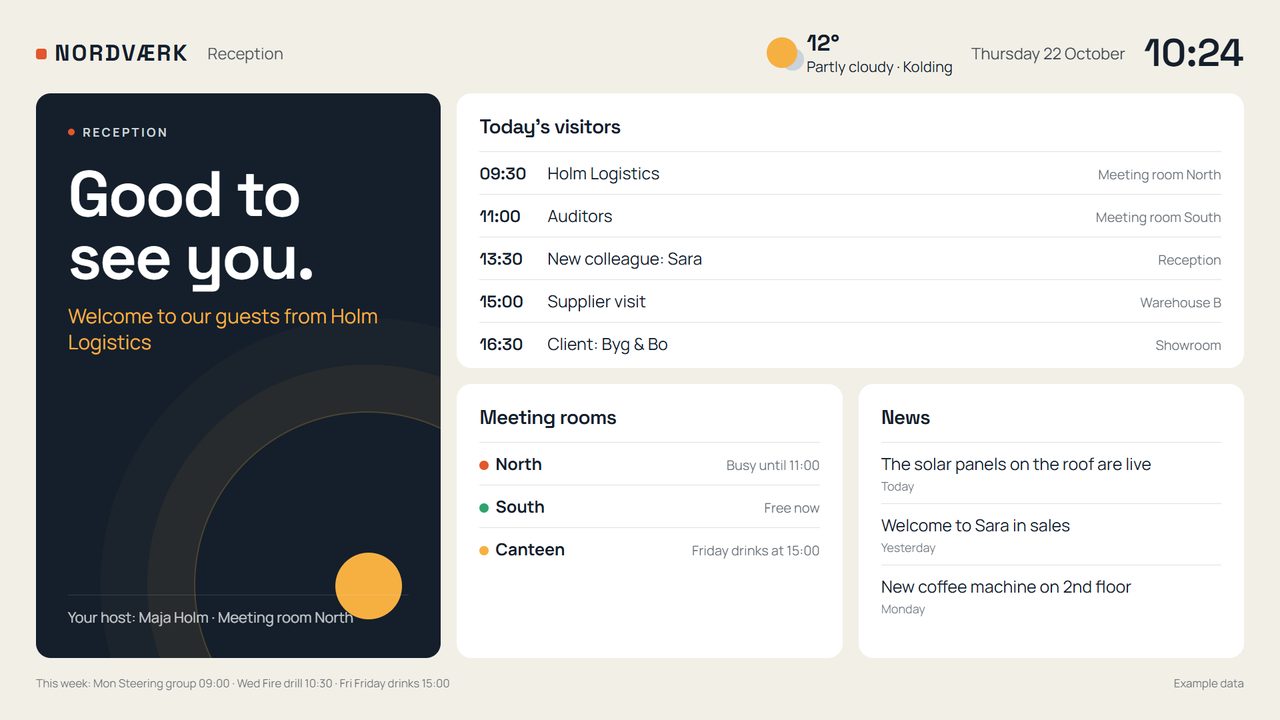
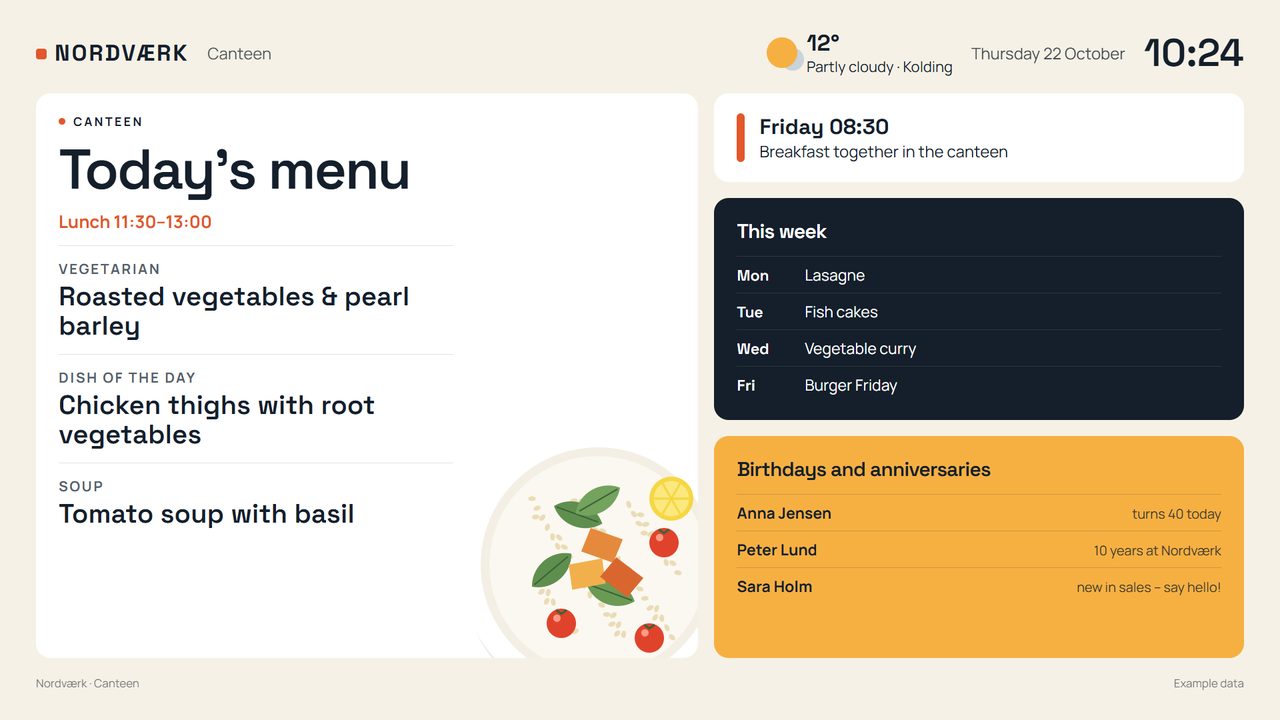
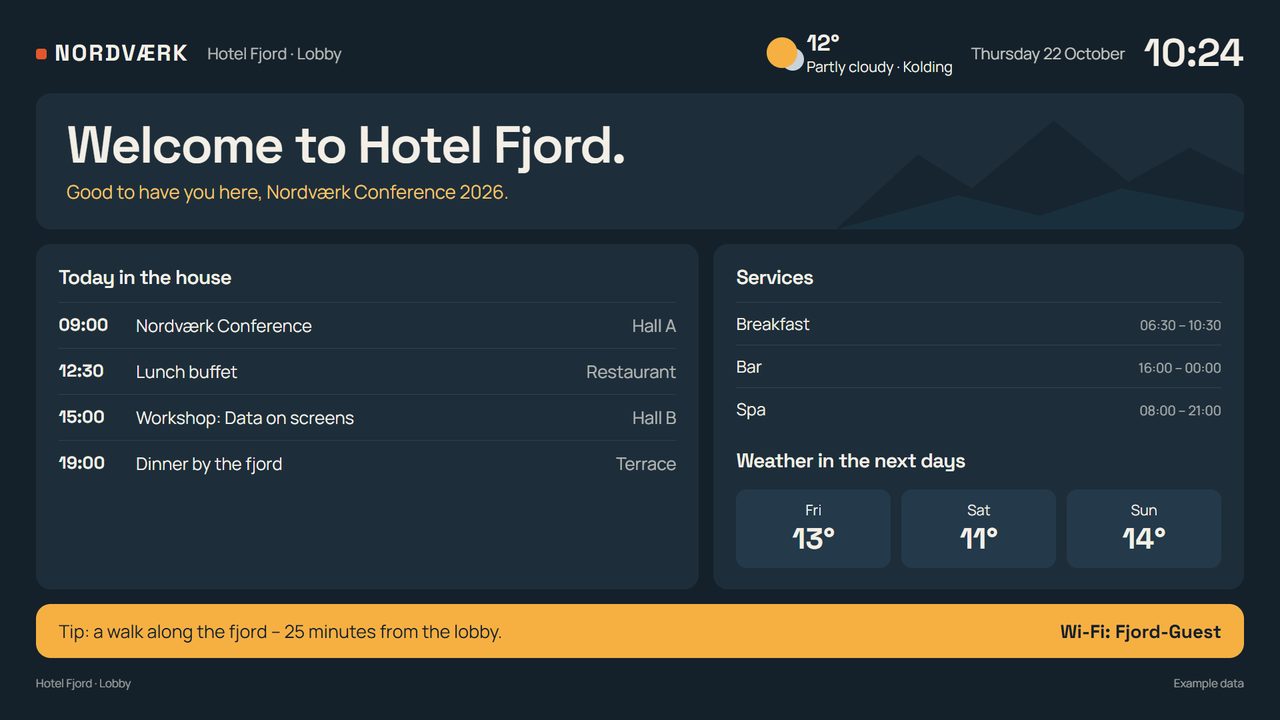
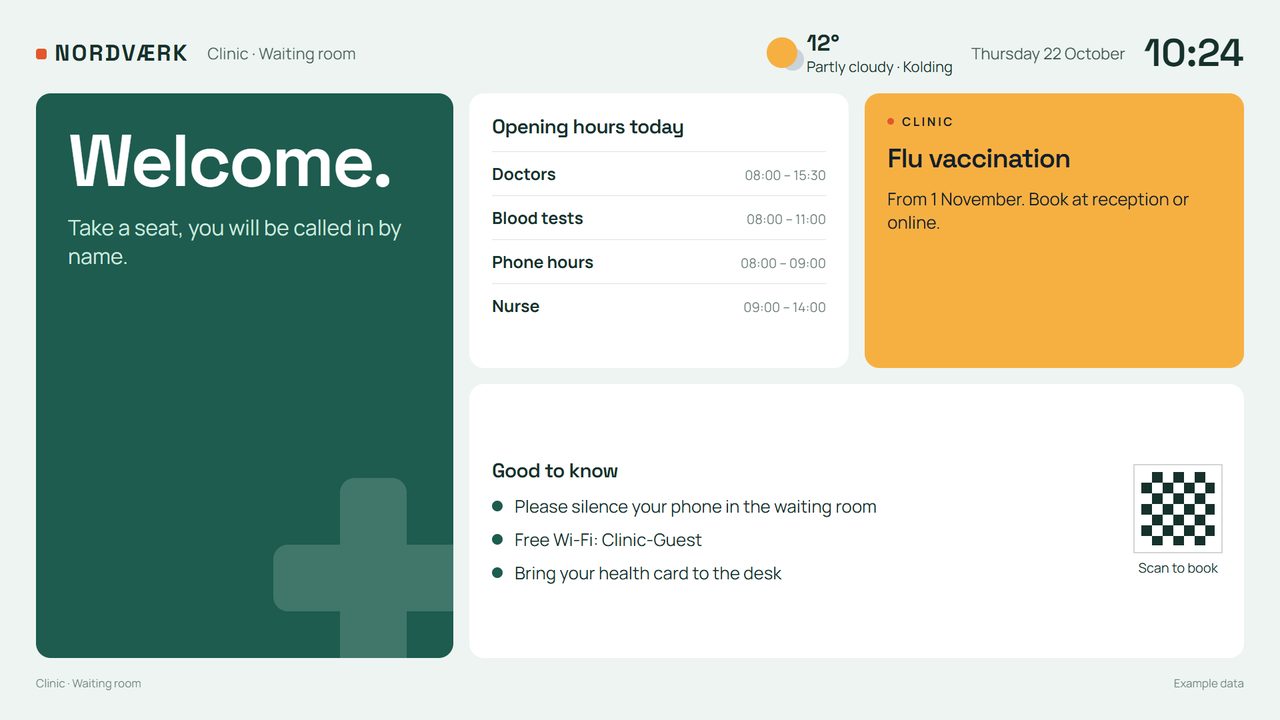
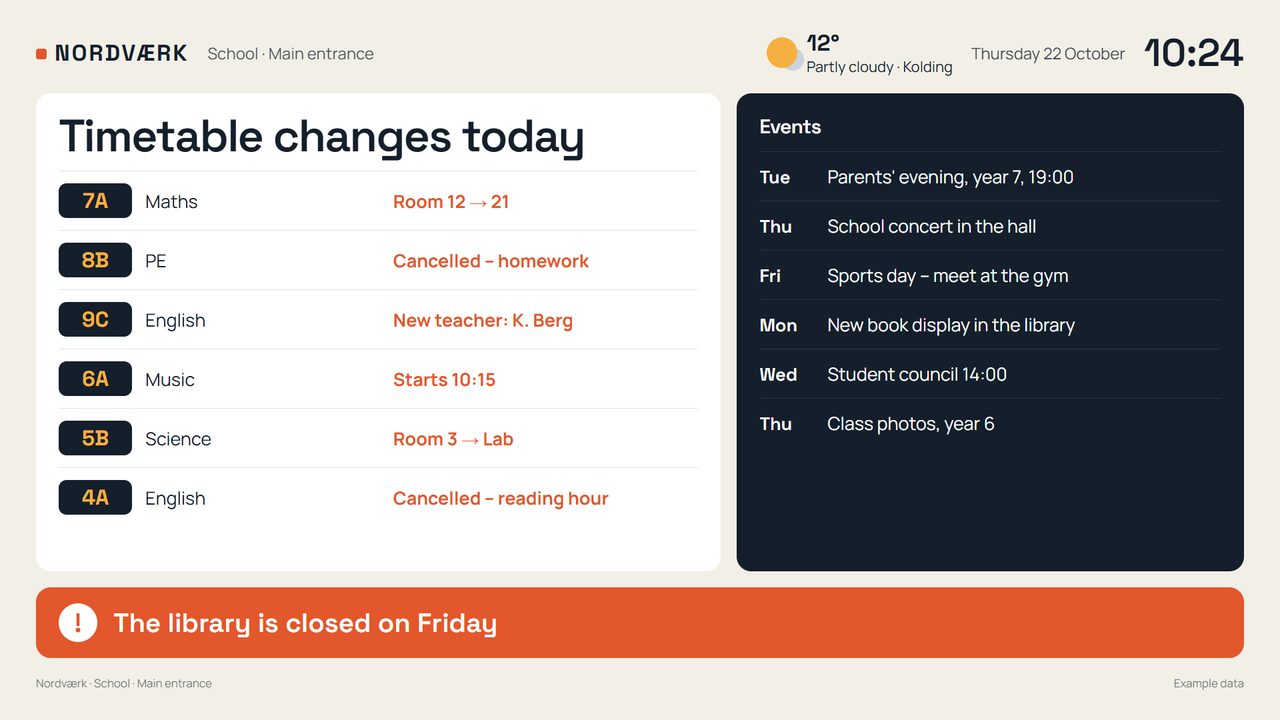
Bavna is software for showing announcements, calendars and production data on TVs and monitors. Manage content and schedules from one panel and choose what each department sees.
We show you Bavna with your own content. No commitment, unlimited users.
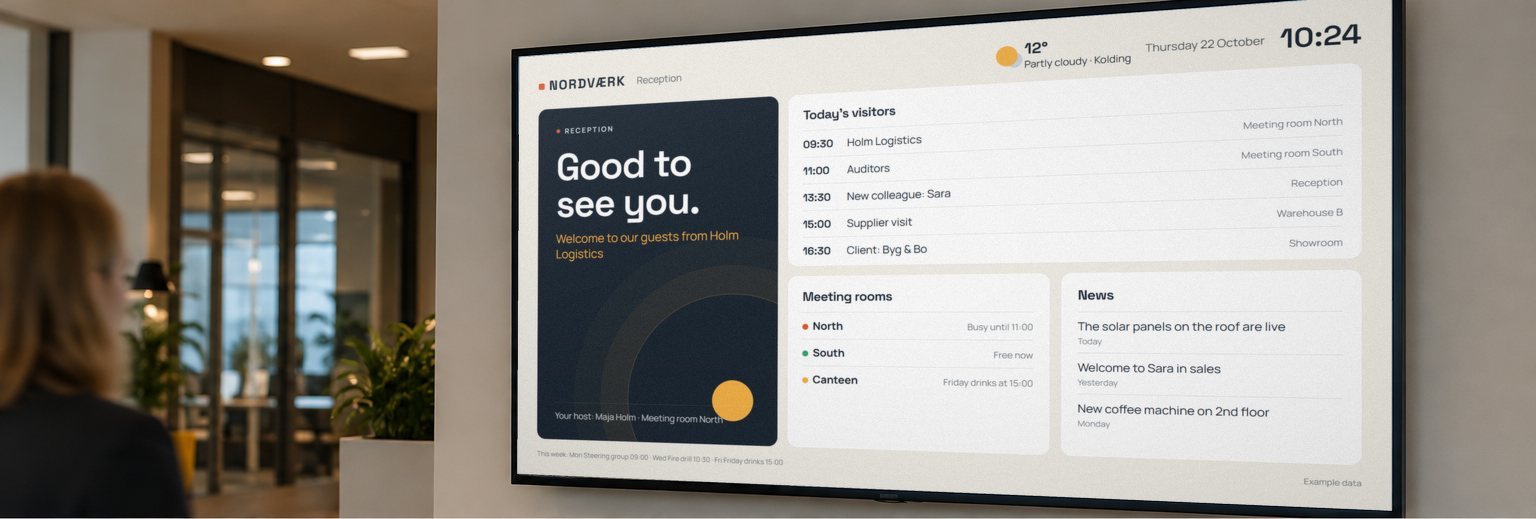
Different places. Different content. A shared view.
Why Bavna
No price per user, no features locked in a more expensive plan, no contracts that tie you in. This is what every subscription includes.
You pay per screen, not per person: the whole company can publish and approve at no extra cost.
Editor, urgent alerts, scheduling, screen groups and the phone app – even in the smallest plan. Only the link to your business systems (Bavna Dati) is an add-on.
Monthly plans you can cancel whenever you like, right from the panel.
Your smart TV's browser, a PC or Bavna Box: no special screens needed.
If the connection drops, screens keep showing the content they already downloaded, for up to 30 days.
Data stays on our own server in Denmark, with backups in the EU. And when you write, the person who builds Bavna answers.
Content that follows the day
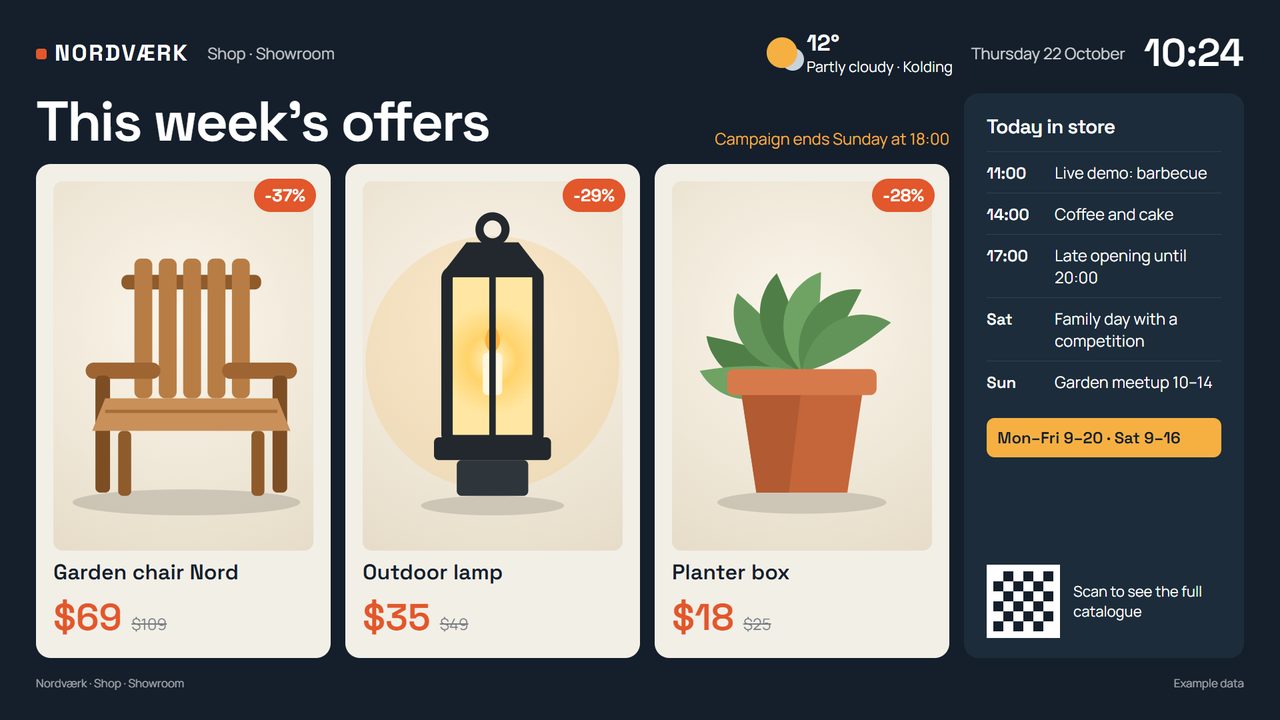
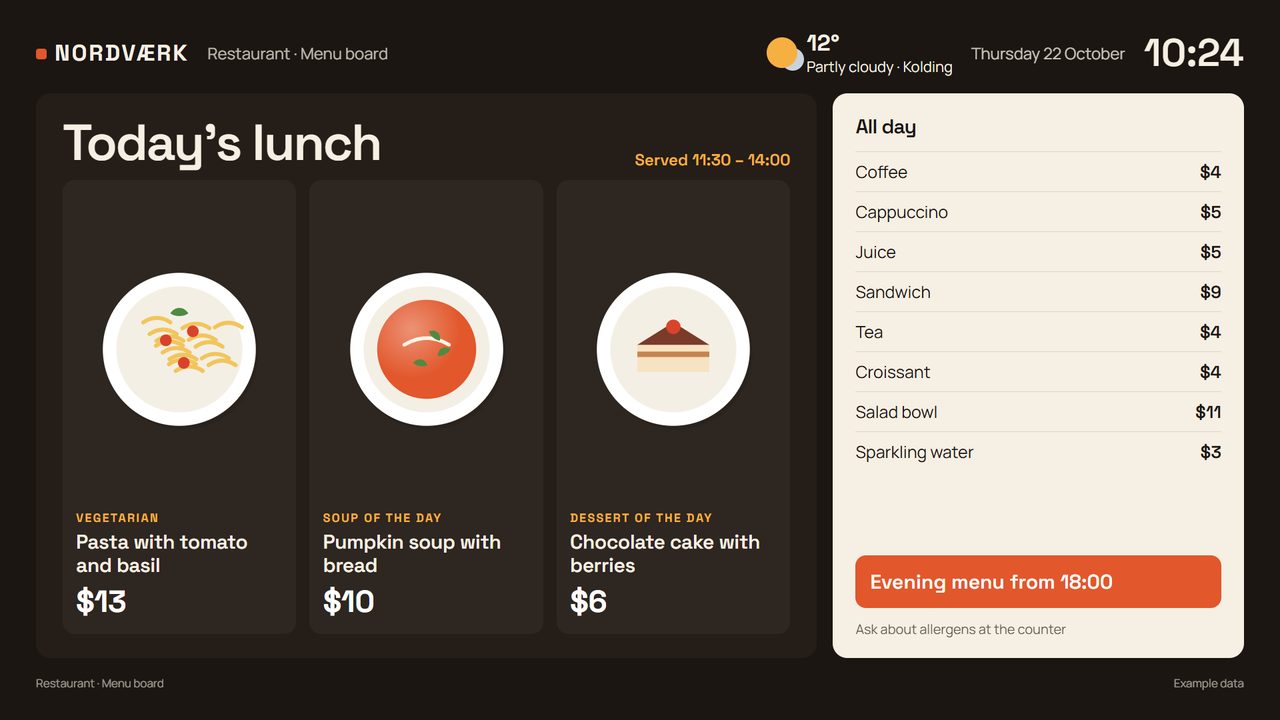
Menus, events, birthdays and evacuation drills appear and disappear by time, day and calendar. You make the plan. Bavna takes it from there.
One last message before the screens switch off for the night.
Choose a time to explore an example. This view follows the clock on your device.
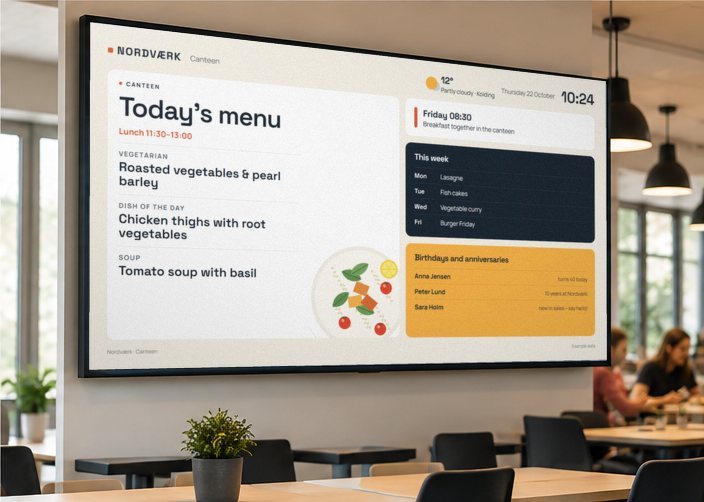
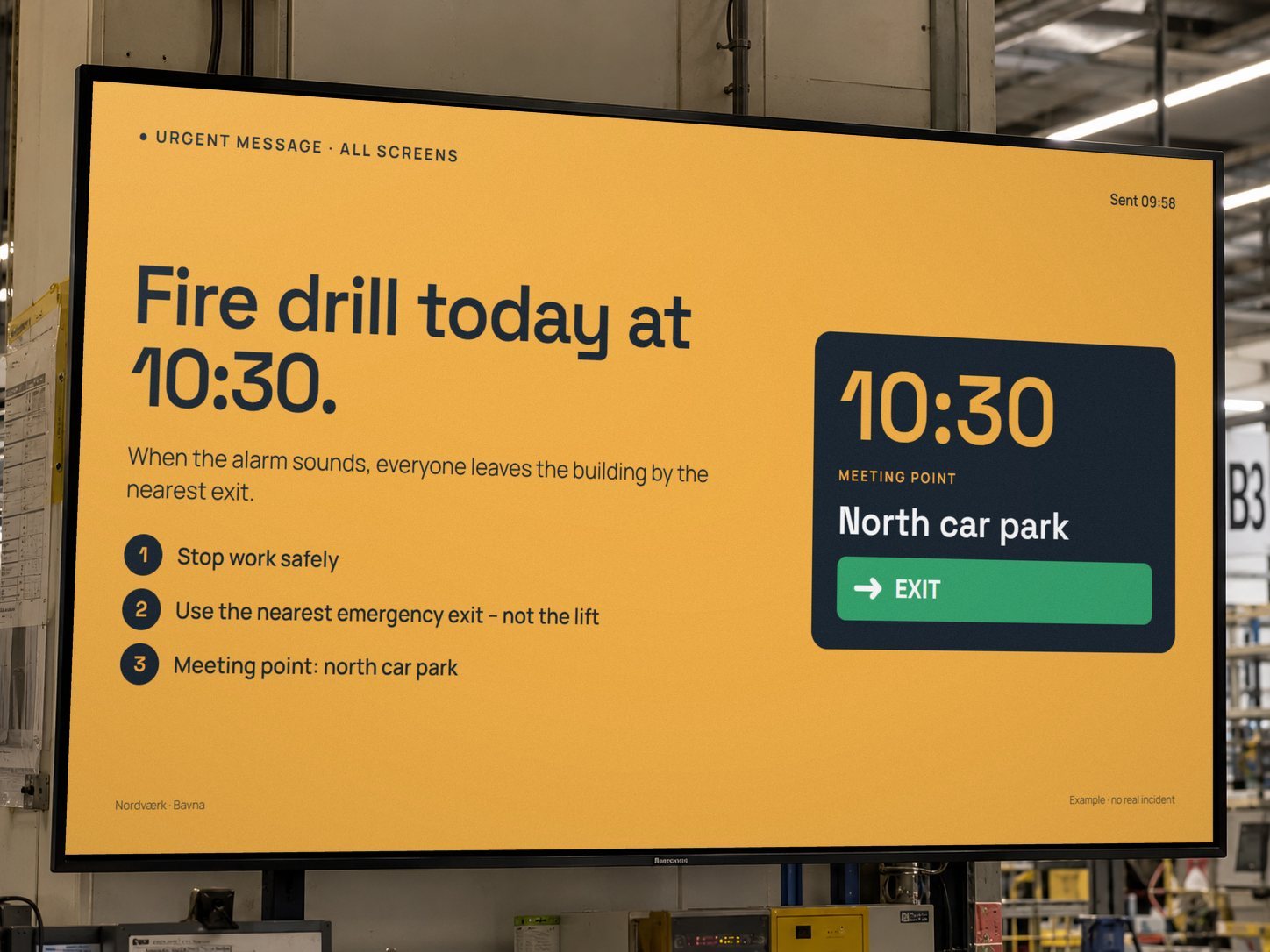
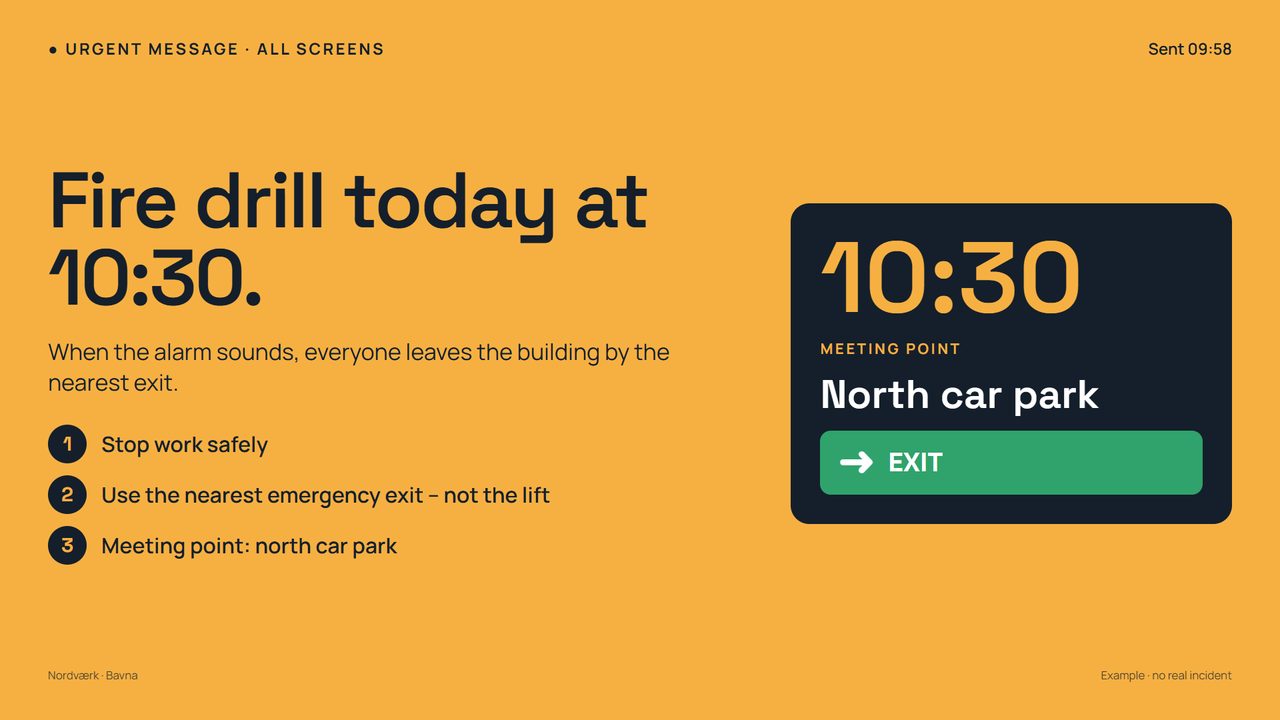
One button puts an urgent message across the whole screen. Send it to every screen or a selected group.
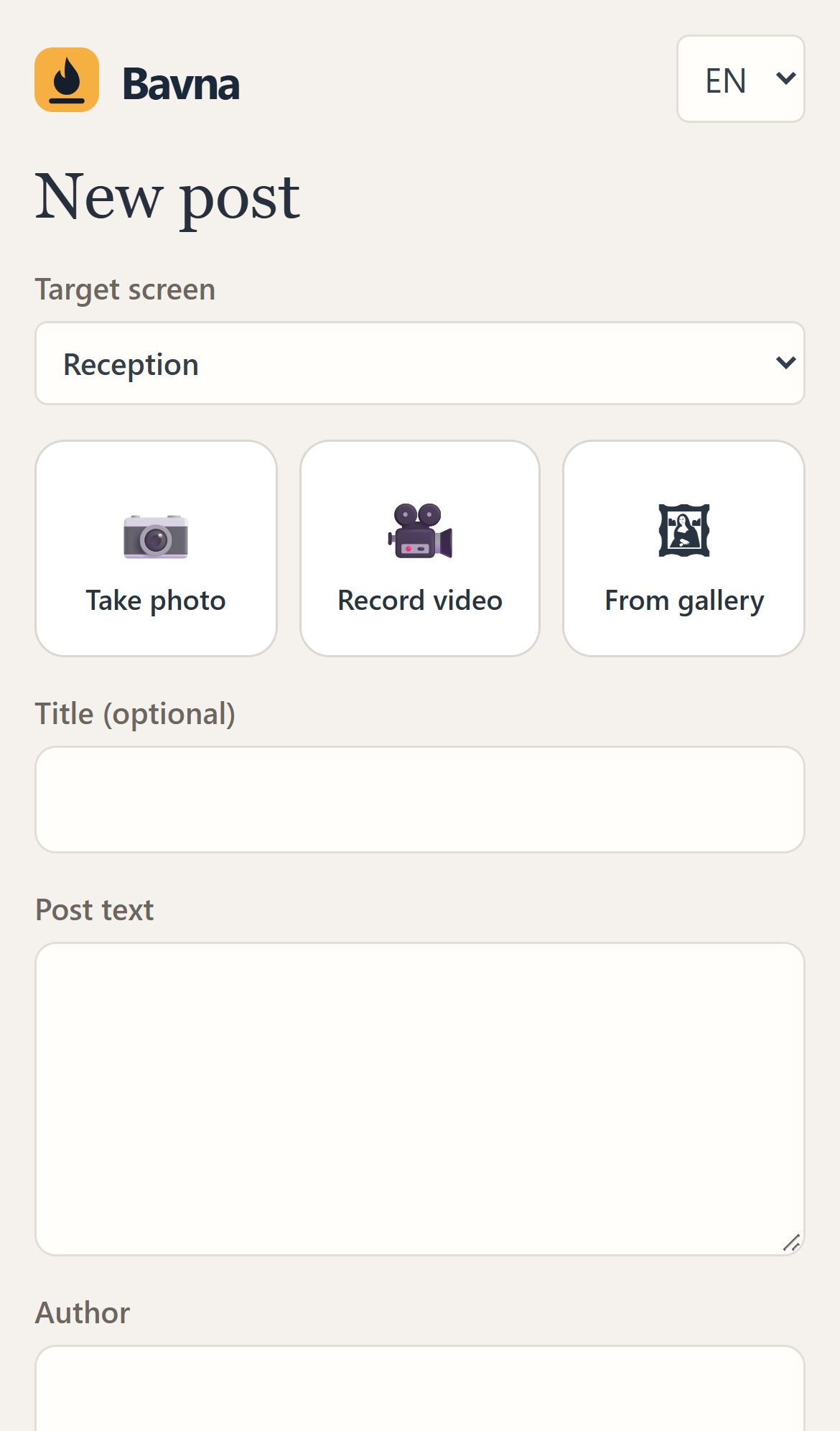
Take a photo, add two lines and send it from your phone. A responsible person approves the post before it appears.
The panel
Real screenshots of Bavna — what you use every day.
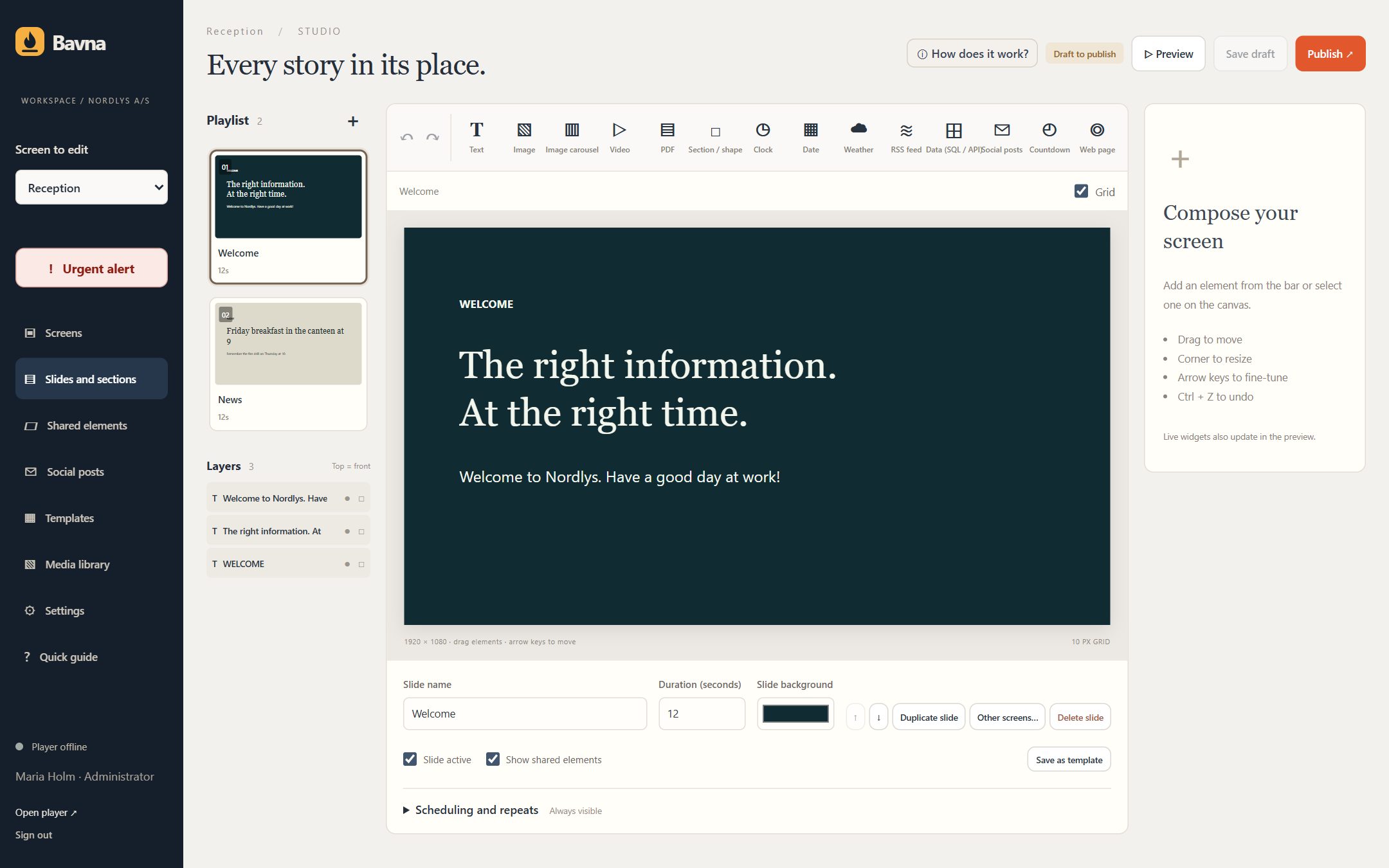
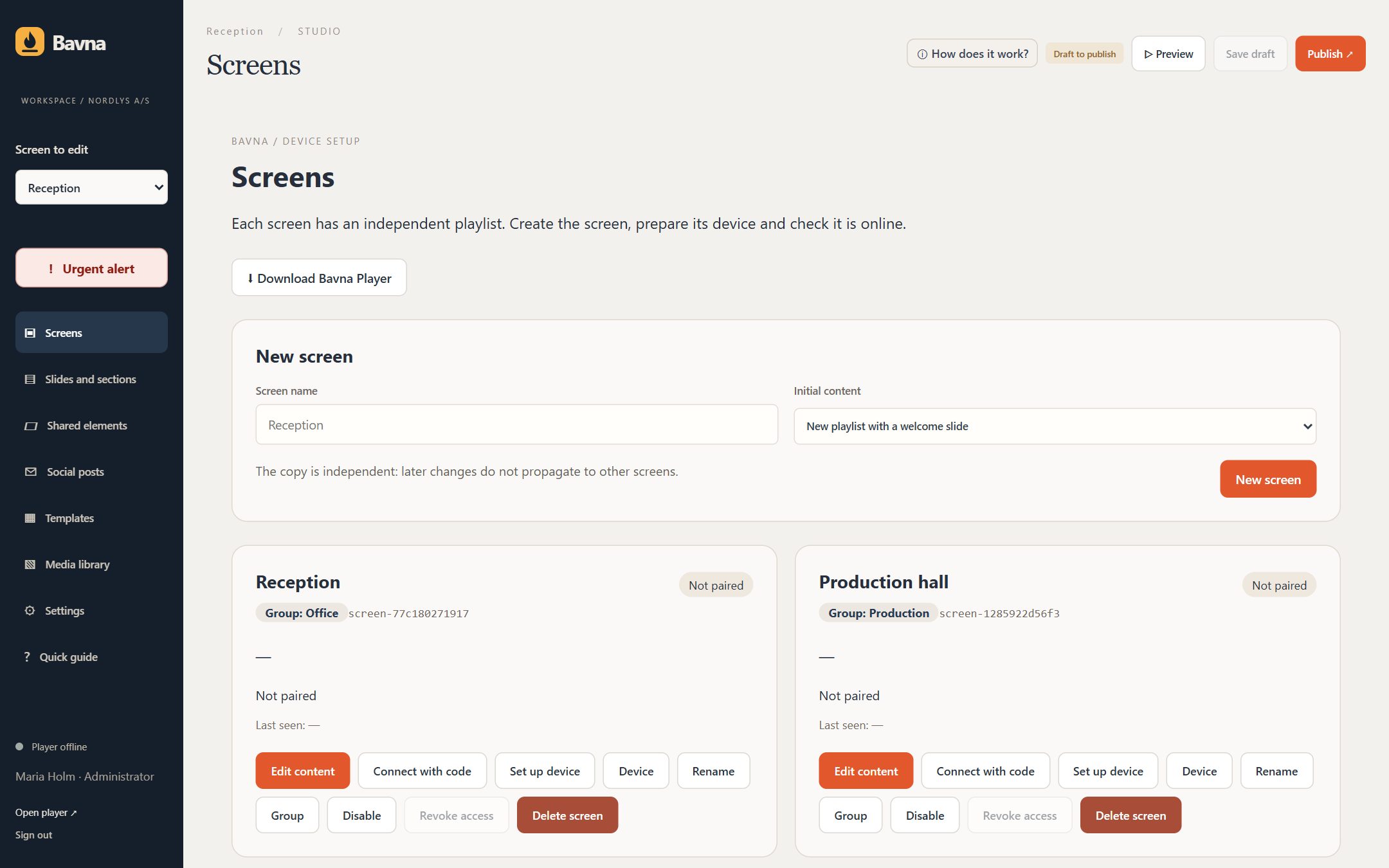
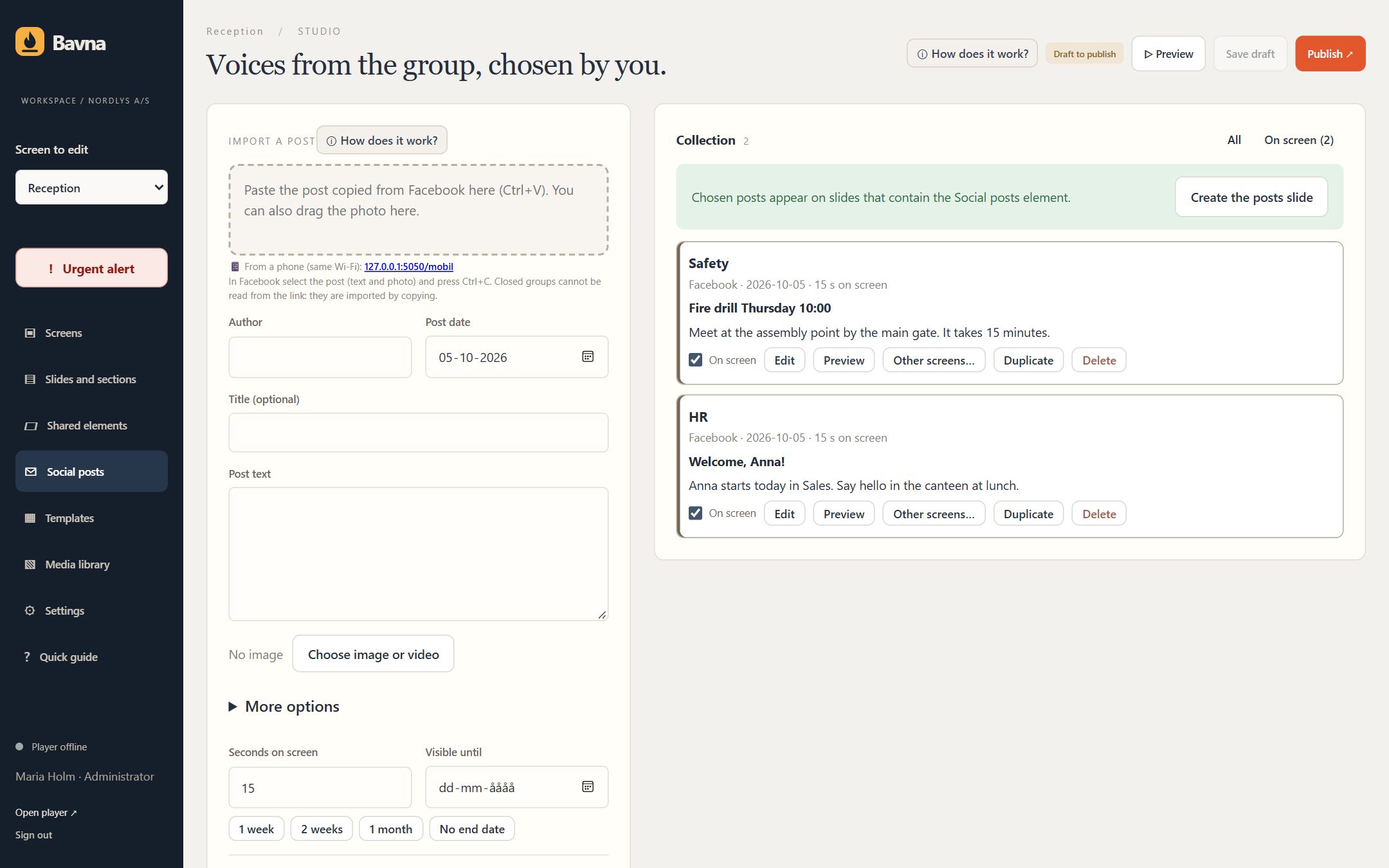
From the first screen to a shared view
One screen or several departments. You choose what goes where.
Use a Bavna Box, your smart TV’s browser or a PC.
Choose messages, calendars and production figures. We set up the link to your ERP or database together with your IT team.
Group screens and plan the content. See every screen’s status and let screens go dark at night. With Bavna Box, also a picture of what is on screen.
Bavna Box
Bavna Box is a mini PC that arrives ready to use. Connect it to your TV to display Bavna. Supplied with a warranty.
Already have a screen with a browser or a PC? You can use that too.
Ask about Bavna BoxConfidence in the everyday
A shared view should feel reassuring. Here’s what you can count on.
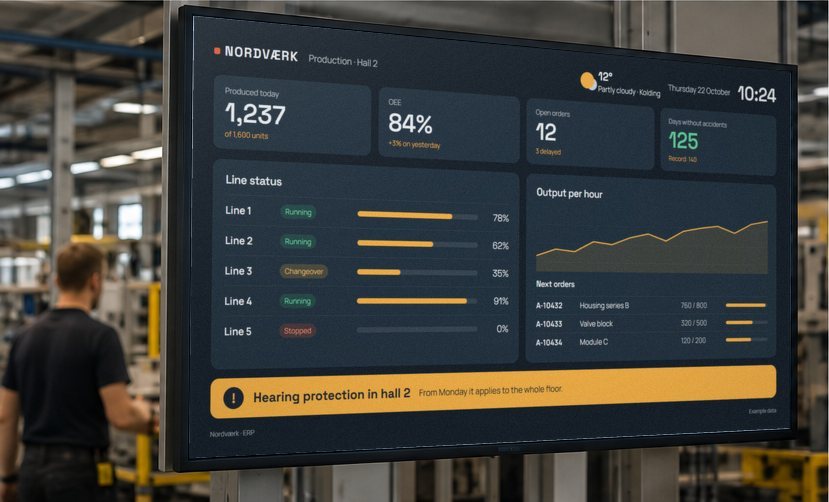
Together with your IT team you decide which figures are shown. Bavna displays them – your systems are never changed.
Bavna stores data in the EU, and we sign a data processing agreement with you.
Protect access with two-step verification through an app on your phone.
Updates are digitally signed so their origin can be checked.
One subscription. A clear view.
Choose by the number of screens. Unlimited users in every plan. Bavna Dati is an optional connector purchased separately and is not included in the plan price.
per month · excl. tax
1 screen
Unlimited users · 2 GB for images and video
Request a demoper month · excl. tax
Up to 5 screens
Unlimited users · 10 GB for images and video
Request a demoper month · excl. tax
Up to 25 screens
Unlimited users · 50 GB for images and video
Request a demoNo commitment: cancel any time from the panel.
Bavna Box: price on request.
Let’s talk anyway: in 20 minutes we’ll work out what your screens should show – events, safety, meeting rooms, internal news.
Good to know
Something else on your mind? support@bavna.info ↗

You can use a TV with Bavna Box, your smart TV’s browser or a PC. Bavna Box is a ready-to-use mini PC supplied with a warranty.
From your ERP, accounting or production system, or a database. Together with your IT team we pick the figures to show and set up the link. Bavna never changes anything in your systems. The figures and names on this page are examples.
The screen keeps showing the content it has already downloaded and updates itself when the connection is back. After 30 days without a connection it asks to be reconnected. Videos and web pages from elsewhere need a connection.
Yes. You can create groups of screens and send content or alerts to all screens or a selected group.
Room availability and agendas can come from Outlook, Microsoft 365 or Google. People can send a photo and a short message from their phone; a responsible person approves each post.
Yes, by arrangement. Tell us how you work and we’ll find the right setup together.
Request a demo: we show you Bavna with your own content and, if you like it, we set up your account.
Bavna takes its name from “bavn”: the fire on a Danish hilltop that once alerted the whole village. The same idea, for a new working day.
Bavna, a product from IT-Fyren
My name is Tommaso Olsen Briguglio. I am Italian-Danish and the person behind IT-Fyren, the small business based in Denmark where Bavna began.
Throughout my working life, I have worked alongside businesses: listening to people, trying to understand everyday challenges and finding solutions to real problems. To me, technology has value when it makes work simpler, not more complicated.
Bavna grew out of that belief. From the idea that getting information to the right people should be simple, even for a small business, even without an IT department.
IT-Fyren is a small business, and the relationship is direct. When you talk about Bavna, you talk to me: the person who works on it every day, listens to your needs and takes responsibility for the solutions I propose.